WEEKLY DEV UPDATE · OCTOBER 19–24, 2026
A new look.
Garage to finish.
The goal this week: make the whole game feel as considered as the garage terminal.
A stronger identity, from the lobby to the finish line
This week, we focused on giving Apex Streets a more complete racing identity. The garage terminal set the direction: bold imagery, stronger buttons, clear destinations, and screens that feel like part of the motorsports world. We carried that direction into the race HUD, tournament flow, results, and the moments between races.
The new UI pairs a motorsports look during the day with a warmer underground feel at night. The interface theme follows your device’s local time, so the change happens around your own day. This is a visual treatment for the interface; it does not change race timing or results.
This week at a glance
| Area | Progress |
|---|---|
| Interface identity | Local-time day/night UI, stronger artwork, buttons, and textured panels. |
| Lobby and terminals | Image-led garage and racing destinations; the lobby remains the main hub. |
| Parts and shopping | Continued parts-counter, shop navigation, and upgrade presentation work. |
| Race HUD | Carbon-and-metal dashboard, live instruments, shifters, outer two-step and throttle controls. |
| Race Day | Qualifying and bracket visuals, advancement animation, and next-opponent presentation. |
| Race reports | Clearer split comparisons, result hierarchy, margin, and purse. |
| Chase cameras | Cinematic and Fixed are the two choices, accessible through the HUD. |
| Photo finishes | Close-finish viewer, 720p capture, low camera, real stripe, and front-bumper alignment. |
| Stance and startup | Race body/wheel placement fix, corrected offset direction, and login routing fix. |
| Android build | Updated APK built and signature checked; physical-device validation still to come. |
Your garage, your starting point
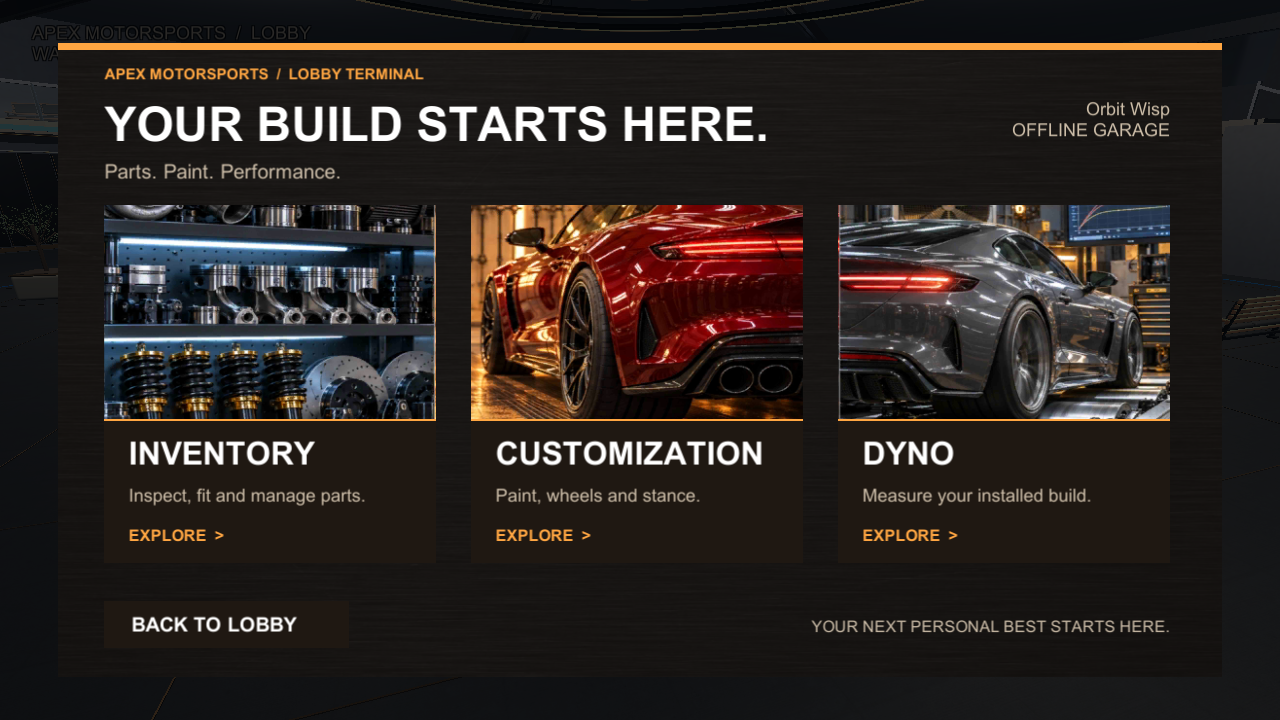
The motorsports lobby and its terminals are the center of the experience. Garage destinations bring inventory, customization, and the dyno together with image-led cards and clearer navigation. Racing destinations follow the same visual language, giving each part of the game a stronger sense of place.
Across the wider interface, we have been refining panels, hero imagery, buttons, and contrast so the garage, parts shopping, dealership, inventory, and race screens feel connected. We also continued improving the parts counter and the flow into a race.
Before and after: the race HUD
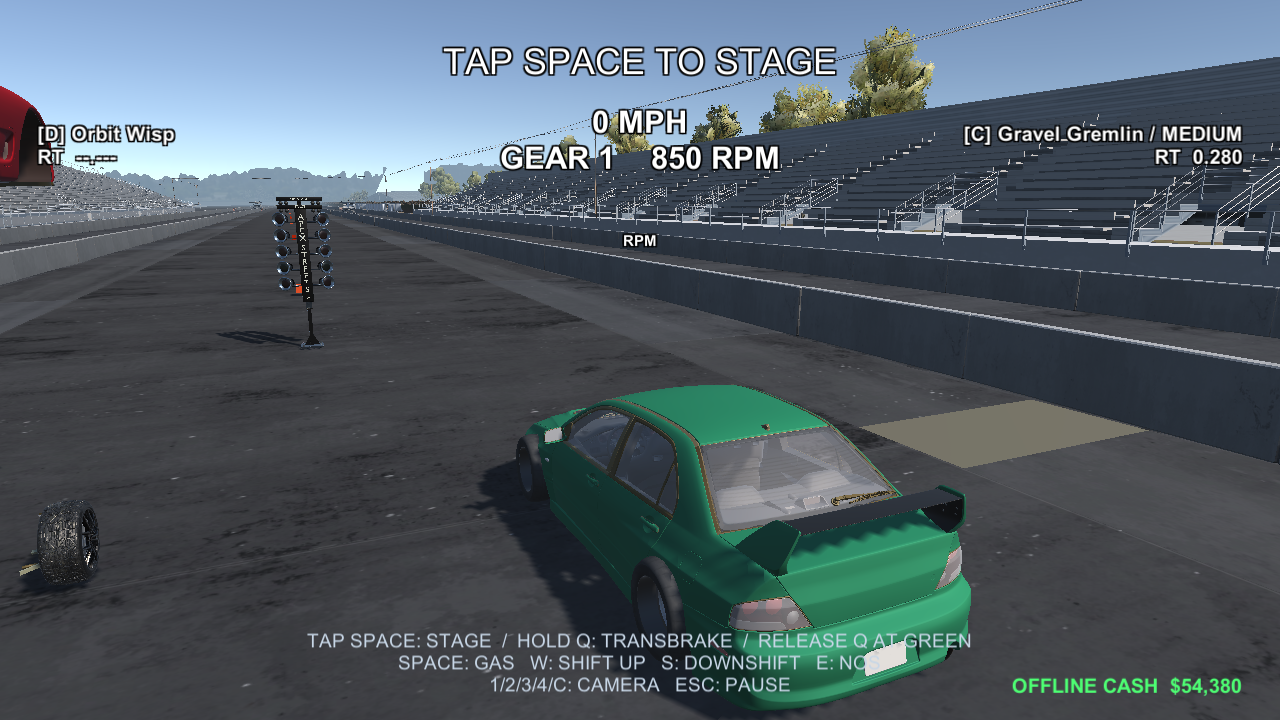
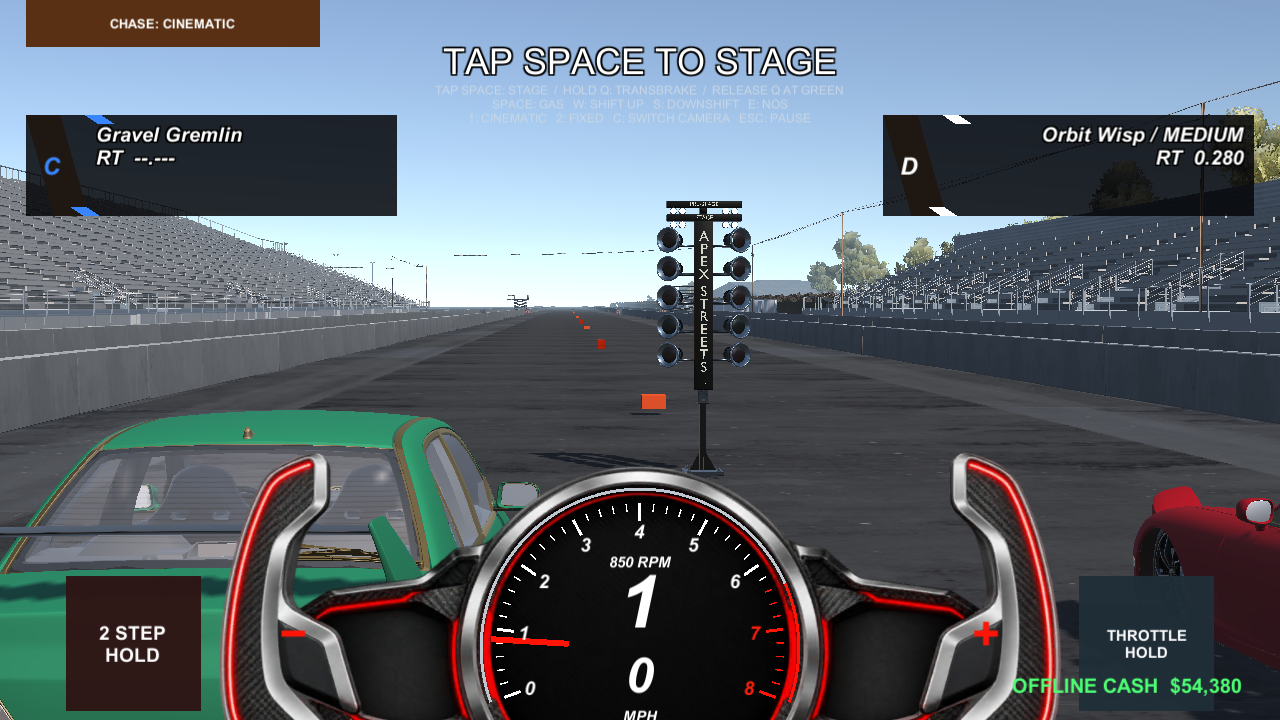
The earlier HUD relied heavily on floating text. The new dashboard brings the tachometer, speed, gear, and paddle shifters together in a carbon-and-metal cluster with red lighting. It sits lower on the screen to leave more room for the car and track.
Two-step sits outside the left shifter, and throttle sits outside the right. Driver timing cards now use class-colored stripes: E is grey, D is white, C is blue, and B is green, with the higher classes continuing the same system. We also adjusted the staging view to keep the starting lights visible.
Two chase cameras. Your choice.
Players can now choose between Cinematic and Fixed chase. Cinematic starts inside the lane, sweeps smoothly behind the car after launch, and then adjusts its view around the opponent’s position. Fixed follows the car from the staging angle, keeping the same relative position without the cinematic sweep or rotation.
These are now the only selectable race-camera options. On mobile, tap the CHASE button. On desktop, use the same button, press C to switch, or select Cinematic with 1 and Fixed with 2.
Before and after: Race Day presentation
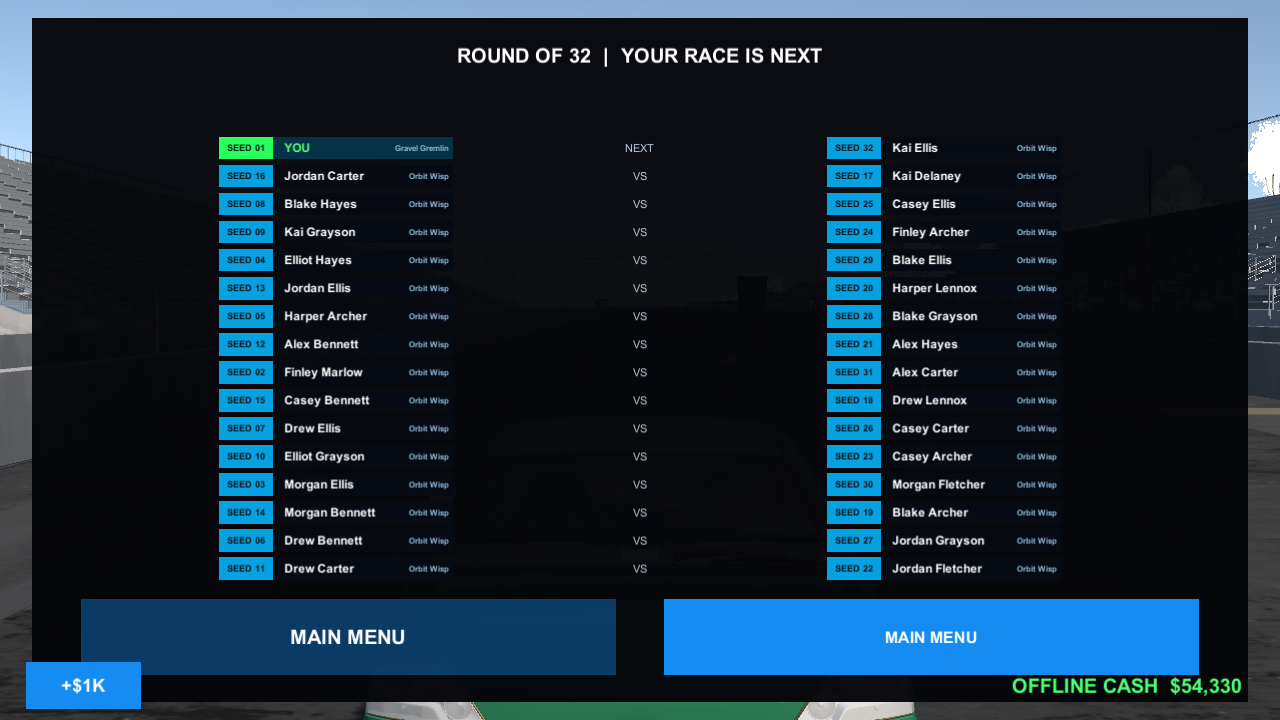
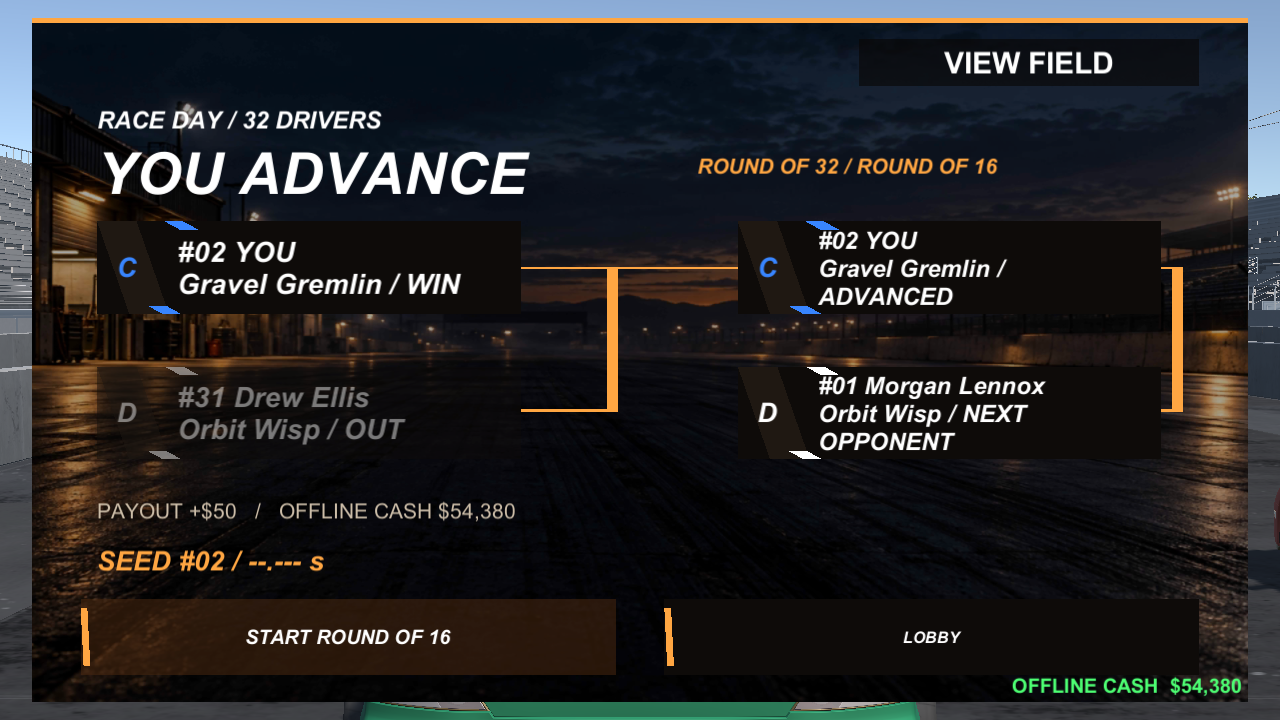
Race Day is getting more of an event-broadcast feel. Qualifying, the field, round results, and advancement now share stronger artwork, angled driver cards, and class-colored details.
Between rounds, the advancement presentation shows the driver moving forward and the next matchup taking shape. The full field remains available to inspect. The goal is to make a tournament feel like a run toward the final, with a clear moment for each win.
Before and after: reading your race
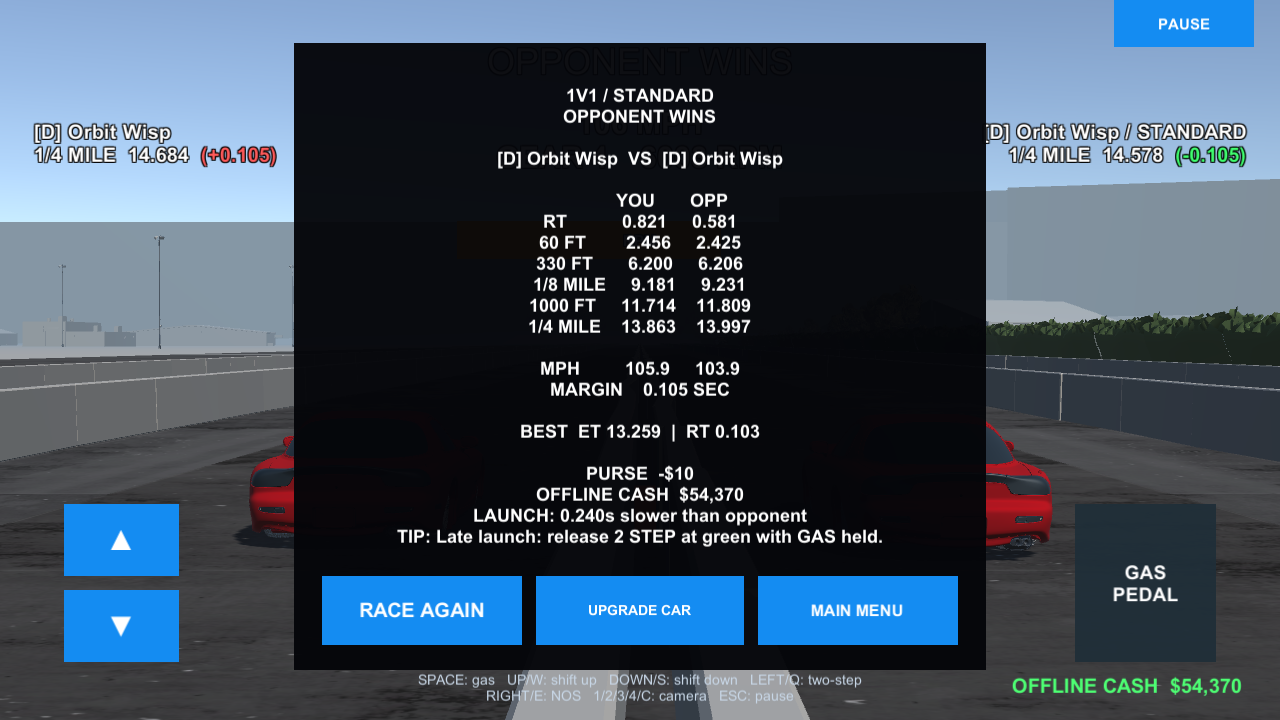
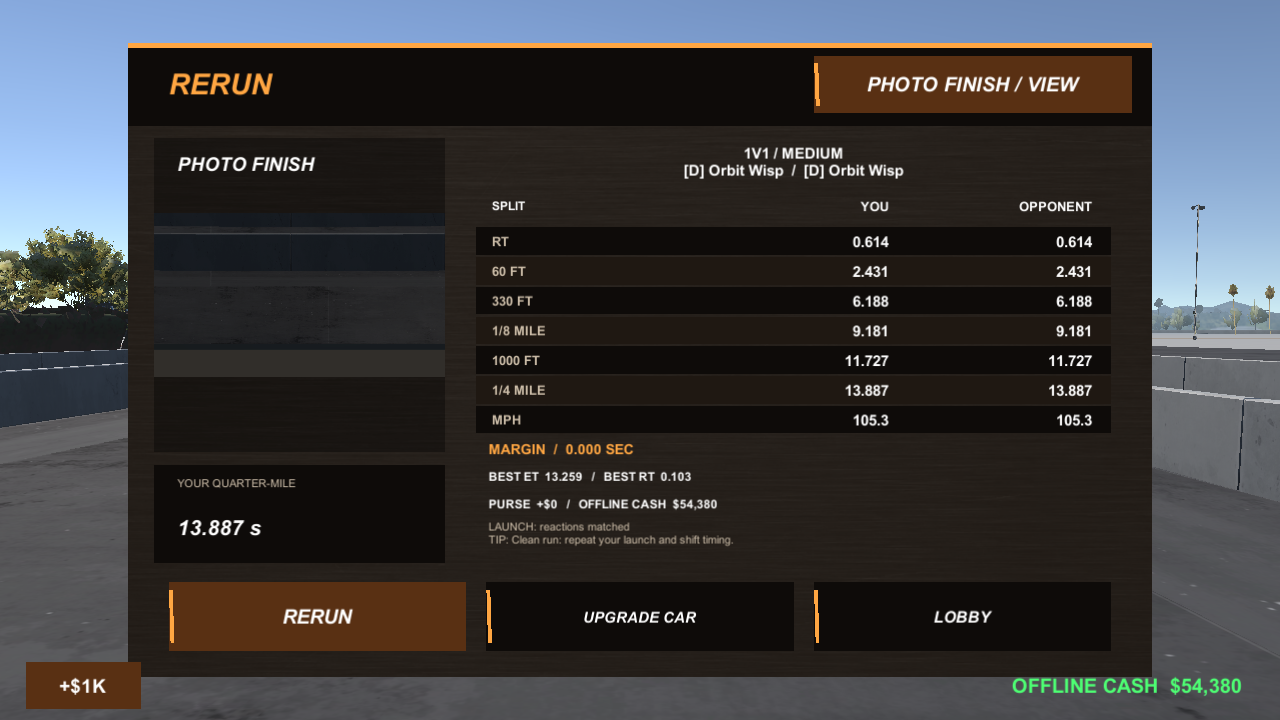
The race report gives the result, split comparison, quarter-mile time, finish margin, and purse more room to breathe. Instead of one dense block, the information is divided into a clearer report with stronger headings and actions.
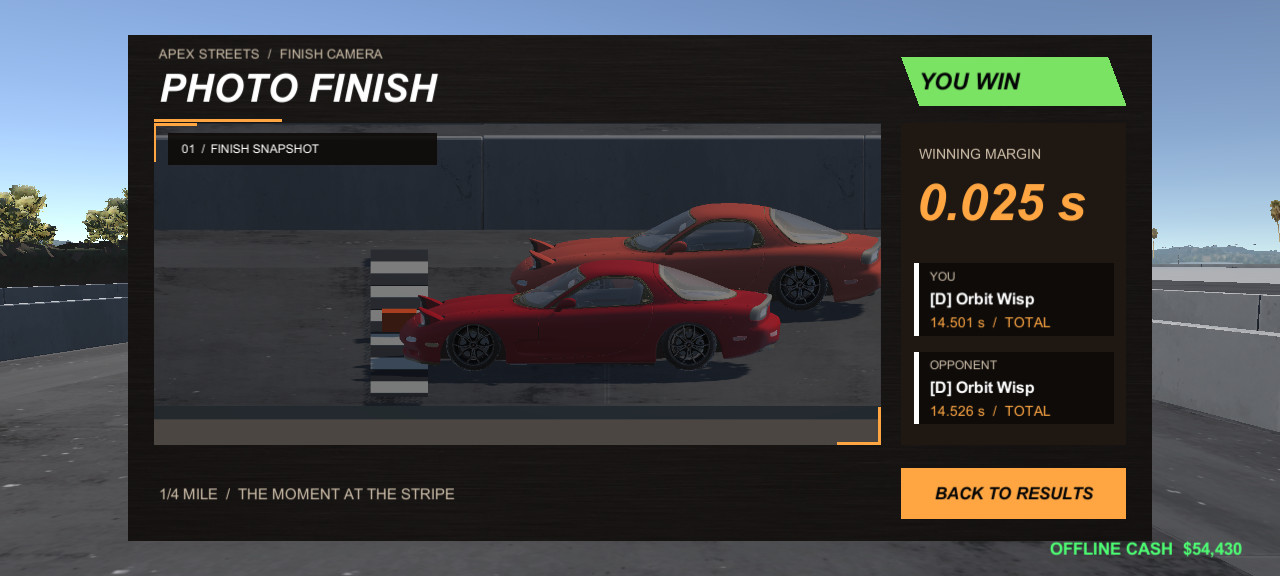
Close finishes also have their own photo viewer. When two valid finishes are within 0.050 seconds, the results can open a 720p finish snapshot. The view uses a low, roof-height camera, tighter framing around the front ends, a visible checkered stripe, a winner banner, and the time margin.
A closer look at the stripe
We refined the snapshot so the leading car’s front bumper meets the finish stripe, rather than showing the back of the car crossing it. The photo uses front-bumper alignment for presentation; the recorded race timing still decides the winner.
The viewer follows the same blue daytime and amber nighttime UI themes, with gunmetal texture and class-colored driver cards. It is a closer look at the finish, with the margin kept alongside the image.
Before and after: stance that carries onto the strip
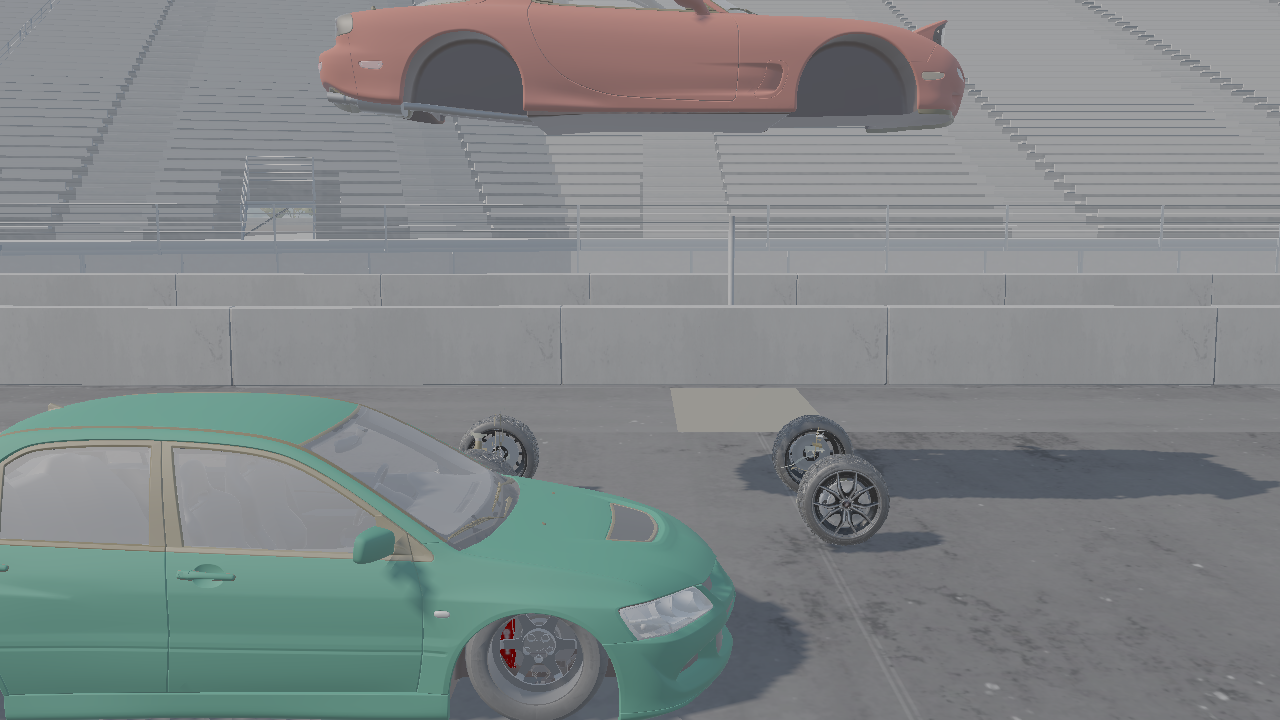
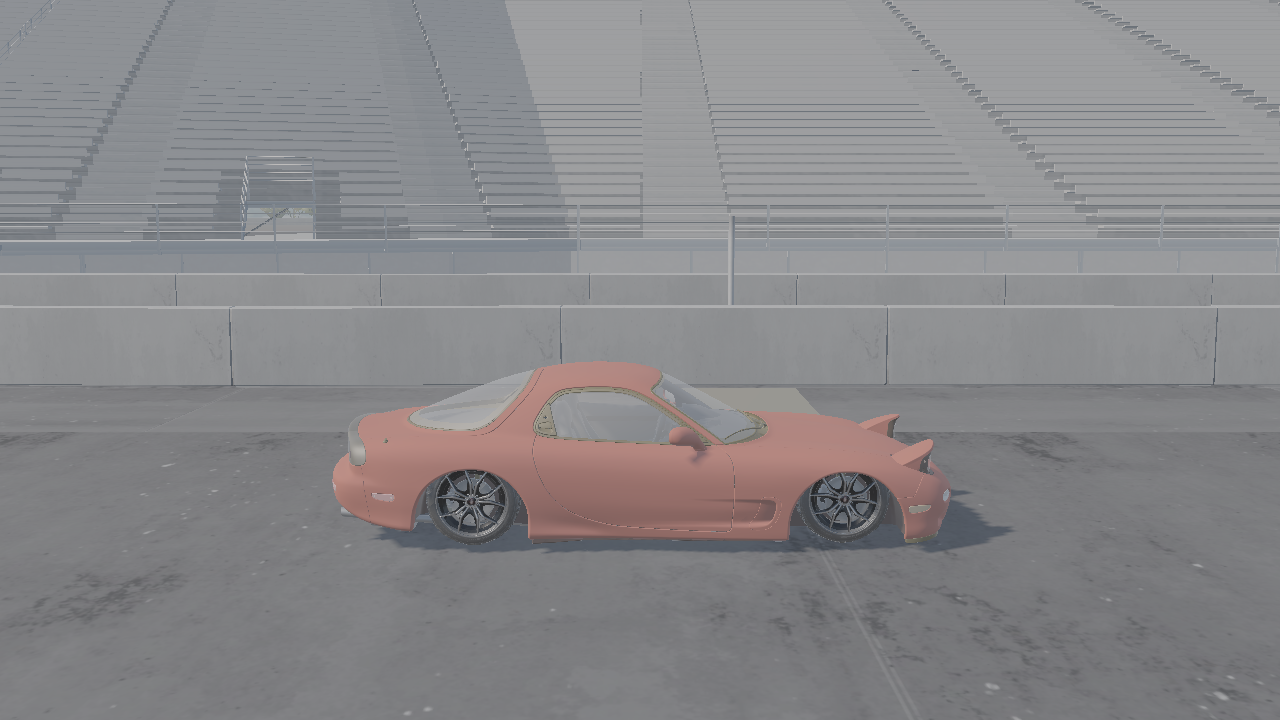
We fixed a case where the Wisp looked correct in the garage but its body appeared to float above the wheels in a race. The correction keeps the assembled body and wheel placement consistent through the race reset.
Stance offset controls are also easier to read: 0 is the standard position, positive values move the wheels outward, and negative values move them inward. Existing saved stance preferences are preserved.
Build and testing update
An updated Android APK has been built with the latest camera and photo-finish changes. Its build and signature checks passed. Focused Unity checks also covered camera selection, fixed-camera behavior, photo-finish presentation, and preservation of race results.
Physical Android testing and a full live two-player check of the latest presentation changes are still outstanding. These previews are development captures, not a final-release announcement.
What comes next
Next up is trying these changes on real phones, checking touch targets and readability, and continuing to polish the race-to-results flow. Username-or-email login is also on the to-do list; it is not part of the completed sign-in changes yet.
Thanks for following the build. The feedback on the garage, brackets, cameras, and finish photos has been shaping this pass. We will keep sharing the work as the game takes shape.